California school district CPRA software: what to evaluate
A California CPRA software evaluation guide covering deadlines, collection, review, procurement and Shield’s current jurisdiction and file-support limits.

California school districts evaluating CPRA software need to test two things together: the workflow for administering a request and the work of reviewing the records. A well-organized portal will not, by itself, resolve an ambiguous redaction. A document-review tool will not, by itself, establish that a deadline or fee is appropriate under California law.
This guide describes an evaluation process, not a legal opinion. Product scope was reviewed on November 10, 2026. Shield’s documented state packs currently cover Idaho and Kansas; this article does not claim a California pack, California certification or automatic CPRA compliance.
Start with the determination and production distinction
The California Department of Justice describes a 10-day period to determine whether it will disclose requested records, with a limited 14-day extension. The Secretary of State likewise describes the initial period as a determination and notification step. These agency explanations are useful starting points, but a district should have counsel confirm the rules and notices applicable to its own request. California DOJ public records guidance · Secretary of State CPRA FAQ
Do not evaluate a software calendar only by asking whether it shows a due date. Ask which event starts the clock, whether the displayed date is a determination date or a production commitment, how an authorized extension is recorded, and who checks the notice before it is sent.
A practical district tracker should also show the next promised update, the person responsible for it, and the work still outstanding. Those operating dates help the team manage the response without confusing them with statutory obligations.
Map the district’s handoffs
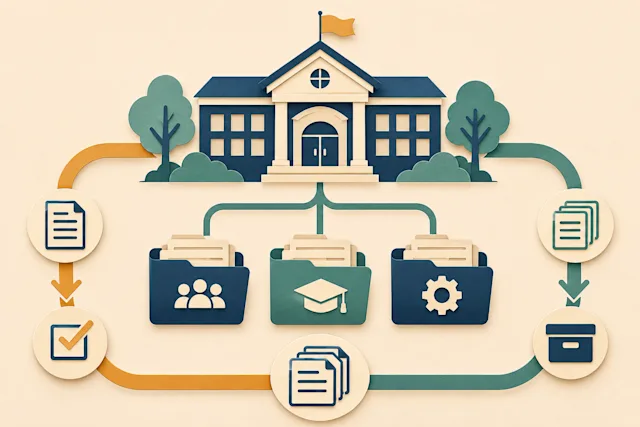
Write one row for each stage: receipt, clarification, search, collection, responsiveness review, privacy review, approval and delivery. For each row, identify the owner, supporting staff, evidence of completion and system used.
For a facilities request, IT may provide emails while business services supplies contracts and invoices. A custodian needs to know that both collections are complete. Ask a vendor to demonstrate a missing department contribution, not just a request where all files are already present.
Also test reassignment. If the coordinator is absent, can a colleague understand the scope, correspondence and unresolved questions without reconstructing them from personal inboxes? This is a useful measure of the operational value of a request platform.
Use a California-specific demonstration packet
Prepare fictional records that reflect the district’s actual file mix. Include an email thread, a text-based PDF, a scanned page, an attachment, a spreadsheet with important nonvisible content, and a document that needs legal review. Keep a separate answer sheet describing what a reviewer should notice.
Have the vendor show:
Which files import successfully, which need conversion, and how failures are reported.
How a reviewer distinguishes responsive records from unrelated material.
Where the district records the legal basis for a proposed withholding.
How a second reviewer inspects the same proposed production.
What the requester receives, including attachments and the response letter.
How the district exports its history and required retained copy.
The answer sheet is an evaluation aid, not an assertion that every example has one universally correct legal outcome. Counsel should resolve jurisdiction-specific questions.
Where Shield fits—and what California districts must confirm
Shield’s documented workflow brings scope confirmation, imported-record review, redaction decisions, optional attorney approval and response preparation into a shared process. It also includes a public request form, requester correspondence and a status page. This is more than a folder of documents, but it remains a product whose state configuration and input support must match the district.
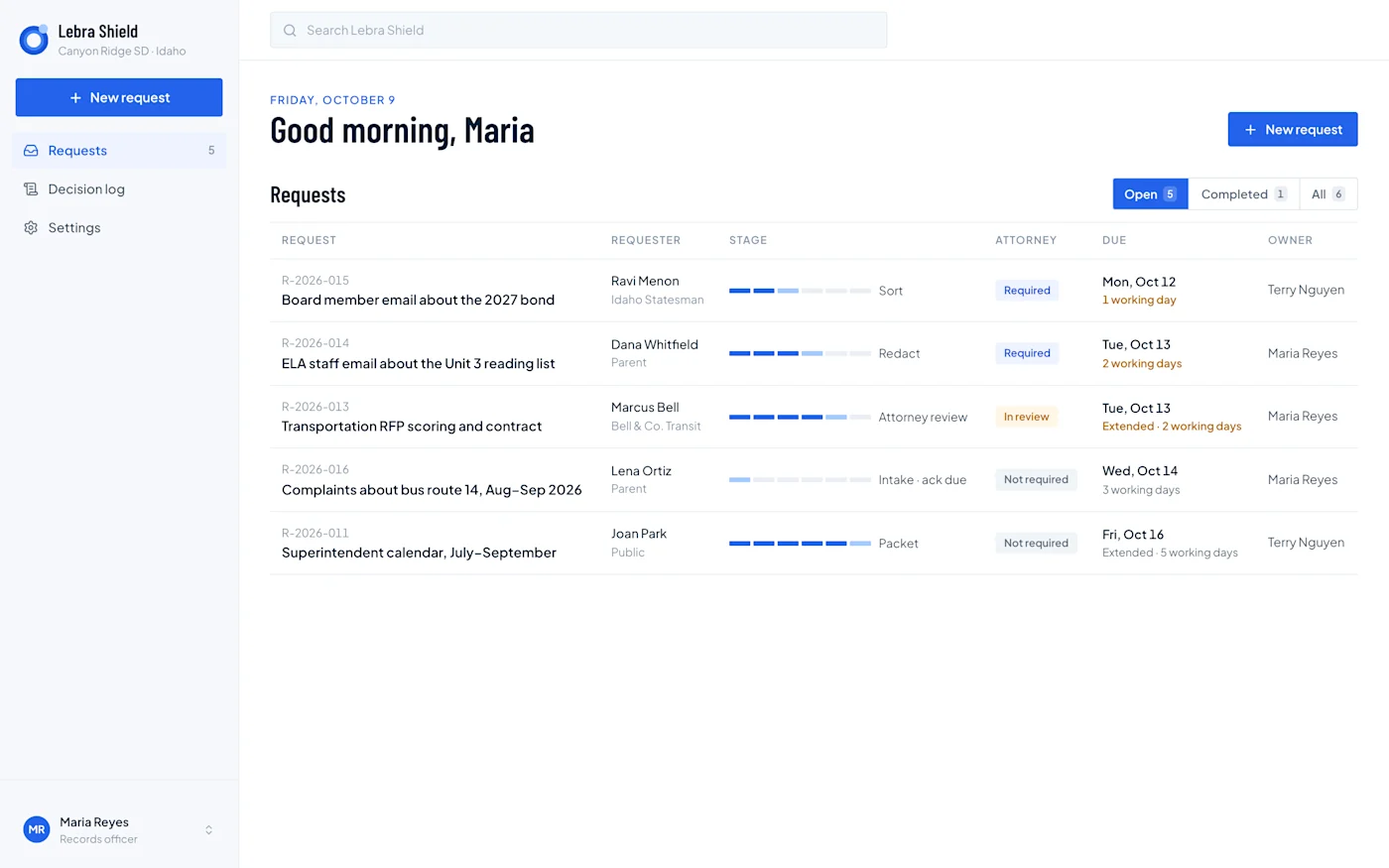
Shield demonstration dashboard with fictional Idaho requests. It illustrates ownership, stages and due-date visibility; the Idaho dates shown are not a California deadline configuration.
Ask Lebra to identify what is available in the deployed version for your district and what would require additional work. In particular, do not reuse an Idaho or Kansas letter, fee calculation or clock as if it were a California rule. Require a written answer about California availability before planning a rollout.
Test the full record, not only the extracted text
A review screen can make a document easier to search while leaving questions about the original layout. A spreadsheet may contain a chart, hidden sheet or comment. A scan may contain no usable text layer. Treat those as separate test cases.
Shield’s documented record support includes PDFs, Word files, spreadsheets and other supported uploads, but extracted text is not a promise of full-fidelity reproduction. Human visual checks are part of its review process. OCR, PST ingestion and a general Microsoft 365 import workflow should not be assumed available.
Ask for a sample final file. Inspect the material that remains visible, the intended redactions, copied text and attachments. A successful import is only the beginning of the evaluation.
Plan retention before the first live request
Decide where the district will retain the original request, search record, approved response, delivery evidence and required review history. Check who can export each item and how access changes when staff leave.
Shield purges working request content when a custodian closes the request. Before using that action, the district needs a documented export and retention procedure and a way to handle applicable preservation obligations. A requester download link should not be your only retained copy.
Leave the evaluation with concrete deliverables
Ask each vendor for a written configuration scope, implementation responsibilities, supported formats, a sample production and a comparable multi-year price. Separate software licensing from migration, setup, storage, training and optional services.
Use the software buyer’s guide to structure the comparison. Contact Lebra to discuss California fit explicitly; a demonstration of records review is useful evidence about the workflow, not proof of jurisdiction-specific readiness.
See what Lebra Shield can do for your district.
Schedule a demo