How school districts can respond to public records requests: a practical workflow
A step-by-step school district records workflow, with Shield intake, review, optional counsel approval, final-file checks and retention planning.

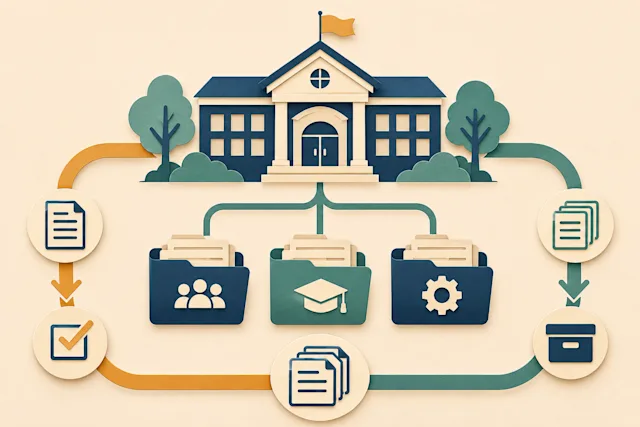
A school district records response is a chain of decisions: what the requester asked for, where staff searched, which records belong in the response, what needs protection, and who approved the files that leave the district. A shared inbox can receive the request, but it rarely explains that whole chain.
This guide gives a practical workflow for records custodians, IT staff, department contacts and counsel. The examples are fictional. Product scope was checked against Shield’s implementation documentation on November 10, 2026; confirm the deployed configuration and state support during onboarding. Your district remains responsible for its legal decisions.
1. Turn the request into a shared work plan
Save the request exactly as received, including the receipt date and attachments. Name one custodian to own the response. Then record the likely custodians of the records, relevant systems, date range, search terms and the next communication to the requester.
For example, a request for “all board email about the bond” may require staff to distinguish a facilities bond from unrelated uses of the word. The search plan should preserve that question rather than quietly narrowing the request. Record clarifications and explain any change to the people collecting records.
Shield’s documented intake workflow lets a custodian confirm scope before asking IT for an export. Its public request form and requester status page support the surrounding administration as well as document review. A request received by email or letter can also be logged by staff.
2. Collect records with their context
Google explains that a Vault export includes the searched data, metadata and information used to corroborate the export. A Gmail export can contain MBOX or PST files and separate metadata. Keep the export’s supporting files with the collection; a spreadsheet of message metadata is not the same as the message bodies. Google Vault export contents
Ask IT to record the searched accounts, date boundaries, queries, export time, file names and any errors. Open samples before assigning the collection to a reviewer. Check that attachments arrived and that the exported material matches the intended search.
Shield’s current documented workflow is based on uploaded records, including Google Vault MBOX/EML and associated metadata, plus supported standalone documents. It is not a live connection that searches every district system. PST, a general Microsoft 365 import workflow and OCR should not be assumed available; demonstrate the exact input you plan to use.
3. Decide responsiveness before deciding disclosure
A record can respond to the request and still require redaction. Keep those decisions separate. Marking a sensitive but responsive record “not responsive” obscures why it was withheld.
In Shield, Sort supports review of responsiveness suggestions. The district makes the decision, including for uncertain records. A useful training example contains a facilities discussion, a repeated attachment, an unrelated bond-themed event and an ambiguous invoice. Reviewers should be able to explain each result without relying on a confidence score alone.
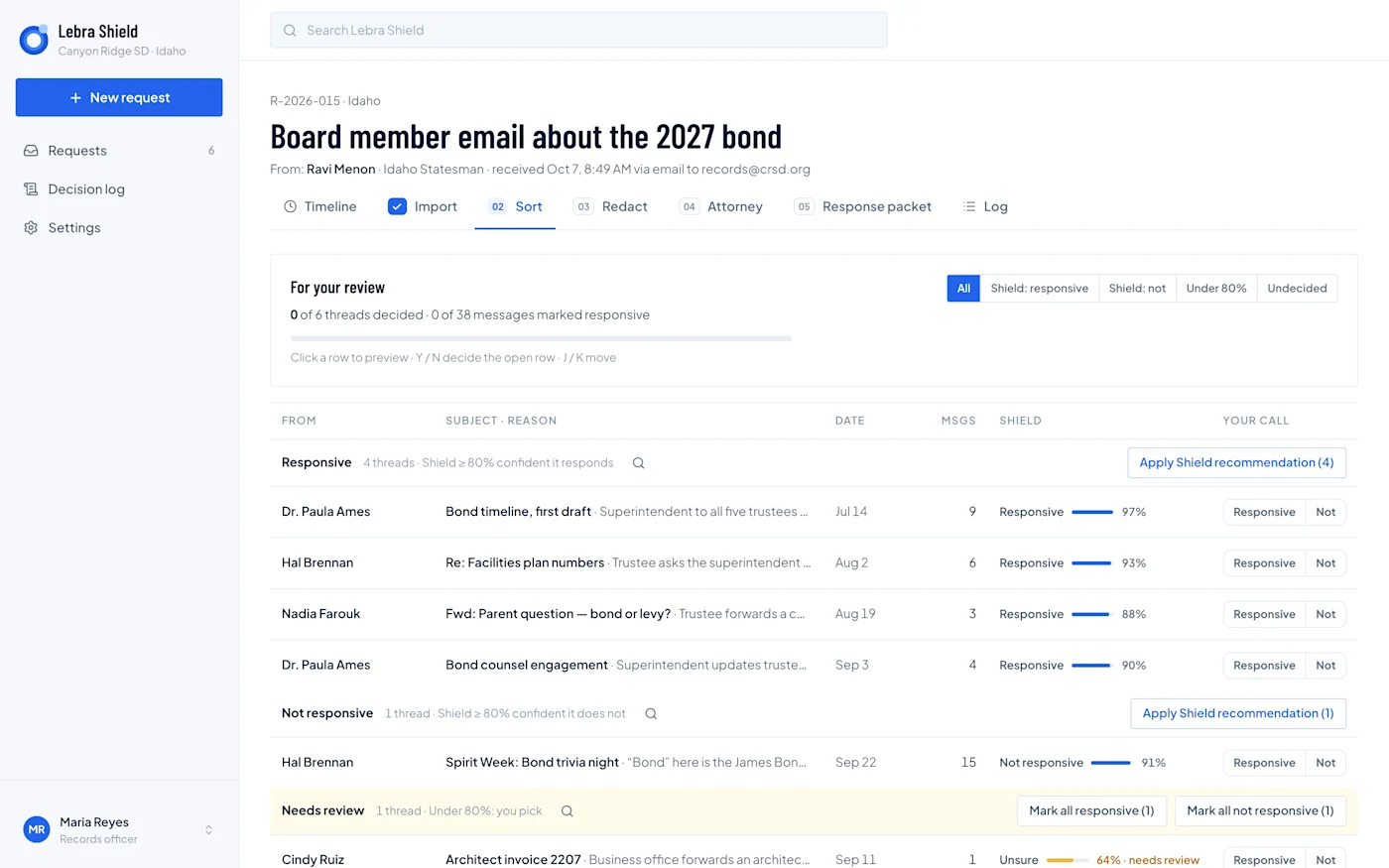
Shield demonstration interface: the Sort screen separates suggestions from the reviewer’s decision. Canyon Ridge, the people and the records shown are fictional; the displayed scores are demo values, not measured accuracy results.
4. Review people and sensitive passages in context
Shield’s documented people-confirmation workflow asks the custodian who the named people are, rather than requiring an SIS roster upload. Reviewers can correct proposed roles and distinguish different people who share a name. Those confirmations inform subsequent redaction suggestions.
Context still matters. A quoted reply may repeat information removed from the latest message. An attachment can disclose details absent from the email body. A document with a familiar name may concern a staff member rather than a student.
Use the student privacy review checklist to plan a second pass for indirect identifiers and associated documents. Give unresolved questions an owner and keep the reasoning with the review.
5. Make approval a separate step
Shield’s current documented flow supports optional attorney review. The custodian can enable it for a request and send a reviewed draft to counsel; otherwise an authorized custodian approves the response. Approval locks the review decisions for final production. Approval itself does not send the response to the requester.
That distinction helps a district assign responsibility. The reviewer decides what the package should contain, an authorized person approves it, and delivery occurs after the approved output is ready. Decide in advance which request types require counsel under district policy.
6. Inspect the output, including difficult files
Open the generated files as the requester would. Search and copy text around redacted passages, inspect attachments, and verify the letter against the actual production. Check page order and record identifiers so the district can connect the delivered package to its decisions.
Shield requires human visual review for PDFs and for reproduced Word or spreadsheet content. Scans and images need human handling; OCR and image-region redaction are not capabilities to assume. A failed extraction must be resolved rather than treated as a successfully reviewed record.
7. Deliver, preserve and close deliberately
Record what was delivered, when and by whom. Shield’s requester status page supports downloading delivered files while the request remains open. The district should keep its required record copy in its approved retention system.
This is especially important in Shield: closing a request purges its working content and retains a content-free closure record. Export the production and required audit material before closing, and coordinate retention or preservation requirements with the records lead. Shield should not be treated as the district’s permanent archive.
To turn this process into assignments, use the public records toolkit. For a walkthrough, explore the Shield demo or schedule a demonstration using a representative, authorized sample.
See what Lebra Shield can do for your district.
Schedule a demo